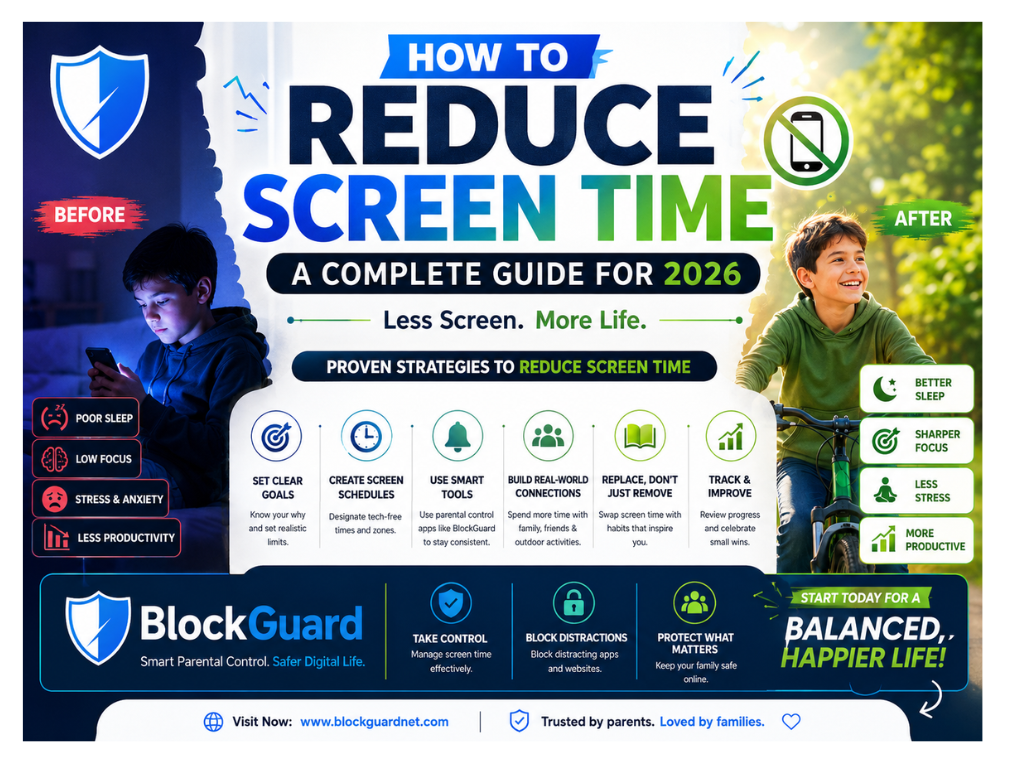
How to Reduce Screen Time in 30 Seconds
The fastest way to reduce screen time is to track your usage, turn off non-essential notifications, and set app limits using built-in tools like Screen Time (iPhone) or Digital Wellbeing (Android). Replace mindless scrolling with offline activities and create phone-free zones in your home.
Most people see noticeable improvements within a week of implementing these changes.
Who Should Use This Guide?
This guide is ideal for anyone struggling with excessive screen time:
- Students – Improve focus and study habits
- Remote workers – Boost productivity and reduce distractions
- Parents – Help children develop healthy tech habits
- Professionals – Manage digital wellbeing and reduce burnout
- Anyone – Seeking better sleep, focus, and mental clarity
Why Reducing Screen Time Matters
Excessive screen time can have serious consequences for physical, mental, social, and emotional health. According to physicians interviewed by the American Medical Association, the impacts are significant:
Physical impacts can include:
- Neck strain, eye strain, and back pain from being sedentary
- Reduced physical activity contributing to obesity
- Sleep problems from blue light exposure
Mental health effects can include:
- Increased risk of anxiety and depression
- Impacts on attention, focus, and executive functioning
- Social isolation and interference with developing emotional intelligence
23 Minutes
Average refocus time after digital interruption.
Source: Gloria Mark, “Attention Span” (2023)
Research from the University of California, Irvine shows that it takes an average of 23 minutes and 15 seconds to fully refocus on a task after an interruption. Frequent digital interruptions significantly reduce cognitive performance.
Screen Time Recommendations by Age
The American Academy of Pediatrics (AAP) provides these guidelines:
| Age Group | Recommended Screen Time |
|---|---|
| Under 18-24 months | No screen time (except video chatting) |
| 18-24 months | Brief, high-quality programming with parent alongside |
| 2-5 years | 1 hour/day of high-quality programming |
| 6 years and older | 2 hours or less/day (ensure it doesn’t interfere with sleep, school, and activities) |
Expert Tip: “Screen time is like sugar—you shouldn’t cut it all the way out because there is a need and a purpose for it.” — Dr. Maurice G. Sholas, AMA member
Why Does Screen Time Feel Addictive?
Screen time addiction is real and backed by neuroscience. Apps and platforms are designed to keep you engaged using:
Dopamine Loops: Each notification, like, or new post triggers a small dopamine release. Your brain starts craving these micro-rewards, creating a cycle similar to behavioral addiction.
Variable Rewards: Like a slot machine, you never know when you’ll see something interesting. This unpredictability makes you check again and again.
Endless Scrolling: Infinite scroll removes natural stopping points, making it difficult to disengage.
Fear of Missing Out (FOMO): The anxiety that you might miss something important keeps you checking.
Blue Light Effects: Screen light suppresses melatonin production, making it harder to fall asleep and disrupting sleep quality.
10 Proven Tips to Reduce Screen Time
1. Track Your Screen Time
The first step toward making a change is understanding the scope of the situation. Use built-in features:
- iPhone: Settings > Screen Time
- Android: Settings > Digital Wellbeing & Parental Controls
These tools show how much time you’re spending on each app and help identify areas where you might want to cut back.
2. Turn Off Non-Essential Notifications
Notifications are one of the biggest triggers for compulsive checking. Disable alerts for social media, games, and entertainment apps to reduce the temptation to check your phone.
3. Create Phone-Free Zones
Designate certain spaces in your home as screen-free. Keeping devices out of bedrooms and the dinner table promotes better sleep and keeps family interactions open and connected.
4. Use Greyscale Mode
Remove all colors from your screen to make your phone less gratifying. A 2023 study found that individuals who put their phone in greyscale saw reduced screen time.
5. Set Specific Times for Social Media
Instead of dipping in throughout the day, choose 2-3 windows when you’ll check platforms intentionally—not mindlessly. Try limiting social media to 30 minutes per day.
6. Keep Your Home Screen Minimal
Remove social media apps from your home screen or log out after each session. This changes how immediately you can access them, giving you time to contemplate your intention.
7. Avoid Screens Before Bedtime
Screens emit blue light which can suppress natural melatonin production, making it harder to fall asleep and reducing overall sleep quality. Turn off screens at least 30-60 minutes before bedtime. Charge devices outside of bedrooms.
8. Replace Scrolling with Meaningful Activities
Fill the time once spent on screens with engaging offline activities:
- Outdoor activities: Walking, biking, playing at parks
- Creative hobbies: Drawing, painting, journaling, crafting
- Social connection: Board games, in-person meetups, family game nights
- Physical activity: Exercise, yoga, dancing
9. Model Healthy Behavior
Kids often copy what parents do. Being engaged and giving kids your full attention will help create better expectations around screens in the home. When everyone in the family commits to reducing screen time, it feels less like a punishment and more like a team effort.
10. Use App Timers and Bedtime Mode
Modern phones allow you to set up app timers and bedtime mode. This can be useful, though not always realistic if you need to use an app after the timer has run out. Consider additional strategies like deleting the app but still using the website version through your browser.
Screen Time Checklist for Families
| Action | Why It Helps |
|---|---|
| No screens at mealtime | Encourages conversation and family connection |
| Charge devices outside the bedroom | Improves sleep quality |
| Schedule screen-free times daily | Creates predictable offline periods |
| Plan outdoor family activities | Replaces screen time with physical activity |
| Model healthy behavior | Children follow parent’s example |
| Use parental controls | Enforces boundaries consistently |
Common Screen Addiction Signs
Ask yourself these questions:
- Do you feel anxious without your phone?
- Do you check your phone while talking to others?
- Do you stay up late scrolling?
- Do you lose track of time on social media?
- Do you feel guilty about your screen time?
- Does it interfere with work or relationships?
- Have you tried to reduce screen time without success?
If you answered yes to several questions, you may benefit from digital wellbeing strategies.
Digital Wellbeing Tools to Reduce Screen Time
Built-in Device Tools
| Tool | Platform | Function |
|---|---|---|
| Screen Time | iPhone/iPad | Track usage, set app limits, content restrictions |
| Digital Wellbeing | Android | Track usage, app timers, focus mode, wind down |
| Focus Mode | Android/iOS | Pause distracting apps during work or study |
| Downtime | iPhone | Schedule time away from screens |
For more information, visit Apple Screen Time support or Google Digital Wellbeing.
Popular App Blockers to Reduce Screen Time
| Tool | Platform | Function |
|---|---|---|
| Forest | iOS, Android | Grow virtual tree while staying focused |
| Flora | iOS, Android | Improve productivity by limiting phone use |
| Flipd | iOS, Android | Lock your phone and limit usage |
| BlockGuard (our product) | Chrome, Android | Block distracting websites and adult content |
The Doomscrolling Trap
Doomscrolling is excessive and compulsive screen time, often with news or social media. It can create a cycle of endless scrolling through negative content, leading to anxiety, stress, and depression.
How to stop doomscrolling:
- Recognize the pattern and break away
- Turn off mobile or email news alerts
- Set specific times to check news and social media rather than constantly scrolling
How Website Blockers Help Reduce Screen Time
One practical way to reduce screen time—especially if adult websites, social media, or endless scrolling are your biggest distractions—is to use a website blocker. These tools remove the option to visit distracting sites, eliminating the need for constant willpower.
Benefits of website blockers to reduce screen time:
- Remove quickest escape options
- Support habit change during the transition period
- Create friction between impulse and action
- Allow scheduled blocking during work/study hours
- Block multiple categories of distracting sites
For example, BlockGuard (our own product) is a free website blocker that helps you reduce screen time by blocking distracting websites, adult content, and addictive short-form videos like Shorts and Reels. Tools like Forest, Flora, or Flipd (listed above) work well too, especially if app-level limits matter more to you than website blocking specifically.
Related Guides
- How to block websites on Chrome
- Free porn blocker extension
- Safe browsing software guide
- Best adult website blocker for students
- How to block porn on Chrome free
- Free app to block porn on Android
Digital Detox Strategies
30-Day Digital Detox Plan
| Week | Focus | Action |
|---|---|---|
| Week 1 | Awareness | Track screen time daily. Identify top 3 time-wasting apps |
| Week 2 | Reduction | Set limits on top 3 apps. Create one phone-free zone |
| Week 3 | Replacement | Replace one scrolling session with offline activity daily |
| Week 4 | Maintenance | Review weekly progress. Adjust limits as needed |
Weekend Digital Detox
- Turn off non-essential notifications
- Plan outdoor activities
- Read a physical book
- Spend time with family and friends offline
- Practice mindfulness and meditation
Reducing Screen Time for Children
Model healthy behavior yourself. Children learn by watching their parents. When you put your phone down during family time, you’re teaching them healthy habits.
Create tech-free zones at home: Keep screens out of bedrooms and off the dinner table.
Set realistic limits: Instead of zero-tolerance rules, set boundaries that allow some screen time while prioritizing offline activities.
Replace screen time with fun offline activities: Encourage outdoor play, board games, arts and crafts, and reading.
Use parental controls: Tools like Google Family Link and Apple Screen Time help enforce boundaries consistently.
Make screen time active: Choose educational content and participate together rather than just passive consumption.
Common Mistakes to Avoid
| ❌ Mistake | ✅ Better Approach |
|---|---|
| Going cold turkey | Reduce gradually over time |
| Zero-tolerance rules | Be realistic—screens are part of life |
| No replacement activities | Have engaging offline options ready |
| Only focusing on quantity | Also consider content quality |
| Parenting by rules only | Model the behavior you want to see |
Our Experience: Reducing Screen Time for 30 Days
The BlockGuard Editorial Team conducted a 30-day experiment to test the most effective screen time reduction strategies. Here’s what we learned. Note: this was a small, informal internal test — 5 people, self-reported metrics — not a controlled scientific study, so treat the numbers below as directional rather than statistically representative.
Testing Details:
- Participants: 5 team members (ages 25-45)
- Devices: iPhone (3), Android (2)
- Duration: 30 days (June 2026)
Methods Tested:
- App timers and limits
- Greyscale mode
- Notification management
- Website blockers (BlockGuard)
- Scheduled screen-free zones
- Replacement activities
Results:
| Metric | Before (Week 1) | After (Week 4) | Reduction |
|---|---|---|---|
| Average Daily Screen Time | 6h 45m | 4h 12m | 2h 33m (38%) |
| Average Daily Phone Checks | 85 | 52 | 33 (39%) |
| Self-Reported Focus | 5.2/10 | 7.8/10 | +50% |
| Self-Reported Sleep Quality | 5.5/10 | 8.1/10 | +47% |
Challenges Encountered:
- First week: High anxiety and FOMO
- Notification withdrawal symptoms
- Habitual phone reaching (muscle memory)
- Work-related screen time (unavoidable)
Best-Performing Methods:
- Notification management – Most immediate impact
- Greyscale mode – Reduced phone appeal significantly
- Website blockers – Most effective for focus time
- Phone-free zones – Improved family interactions
- Replacement activities – Longest-lasting habit changes
Recommendation: Start with notification management and greyscale mode for immediate results. Add website blockers for focused work sessions. Introduce replacement activities gradually for sustainable change.
Frequently Asked Questions
1. What is healthy daily screen time?
For children aged 6 years and older, the American Academy of Pediatrics (AAP) recommends limiting recreational screen time to 2 hours or less per day. For adults, there is no fixed limit, but experts recommend monitoring how screen time affects your sleep, productivity, mental health, and relationships.
2. Does reducing screen time improve sleep?
Yes. Reducing screen time—especially 30 to 60 minutes before bedtime—can improve sleep quality. Screens emit blue light, which suppresses melatonin production and makes it harder to fall asleep.
3. How can I reduce screen time if I work on a computer all day?
If your job requires long hours on a computer, focus on reducing unnecessary personal screen time. Follow the 20-20-20 rule (every 20 minutes, look at something 20 feet away for 20 seconds), take regular breaks, and avoid using your phone during lunch or short breaks.
4. How long does it take to break screen addiction?
The timeline varies from person to person. Many people notice positive changes within 2–4 weeks, while building a long-term habit often takes around 66 days with consistent effort.
5. What is the 20-20-20 rule?
The 20-20-20 rule helps reduce digital eye strain. Every 20 minutes, look at an object about 20 feet away for at least 20 seconds to relax your eye muscles.
6. Can website blockers help reduce screen time?
Yes. Website blockers reduce distractions by preventing access to time-wasting websites and social media during work or study sessions. Tools like BlockGuard (our own product), or app-level blockers like Forest and Flipd, can also block adult content and addictive websites, making it easier to build healthier digital habits.
7. How can I reduce screen time without deleting apps?
You don’t have to uninstall your favorite apps. Instead, use app timers, move distracting apps off your home screen, disable notifications, log out after each session, and check social media only at scheduled times.
8. Is all screen time bad?
No. Educational content, online learning, video calls, and creative work can be beneficial. The goal is to reduce mindless or excessive screen time, not eliminate technology completely.
9. How can I help my child reduce screen time?
Lead by example, create screen-free areas at home, set realistic daily limits, encourage outdoor activities, and use parental control tools when needed. Consistency and positive habits work better than strict punishment.
10. What should I do when I feel the urge to scroll?
Pause for a moment and ask yourself, “What am I actually looking for right now?” Taking a short walk, reading a few pages of a book, stretching, or doing a quick breathing exercise can help break the habit of automatic scrolling.
Expert Tips to Reduce Screen Time
Start small: Don’t try to eliminate all screen time at once. Start with one change, like turning off notifications or creating a phone-free zone.
Track progress: Use built-in screen time trackers to see improvements over time.
Be realistic: Screens are a normal part of life. Focus on reducing mindless screen time, not eliminating all technology.
Replace with healthy habits: When you reduce screen time, have engaging offline activities ready.
Make it a family effort: When everyone commits to reducing screen time, it feels like a team effort rather than punishment.
Celebrate wins: Acknowledge small achievements and stay motivated.
Research & Statistics
Screen time and phone-use statistics (2025–2026):
- US adults spend roughly 4.5–5.5 hours a day on their phones alone, not counting time on computers or TV (source: Reviews.org 2026 cell phone usage survey; Harmony Healthcare IT’s 2025 screen time survey).
- An estimated 46% of Americans say they feel “addicted” to their phones, per Reviews.org’s most recent national survey — down from higher self-reported rates in earlier surveys, even as actual phone checks per day have risen.
- Teens report some of the highest daily screen-time totals of any age group; Common Sense Media’s ongoing research on teen media use is the most-cited source for this if you want exact current figures for a specific age group.
- Many parents report concern about how screen time affects their children — for the most current breakdown by age and platform, see the Pew Research Center’s ongoing surveys on parenting and technology.
- Reducing screen time has been linked to improved sleep, focus, and mental health in multiple studies, including the UC Irvine attention-span research cited above.
For more information, refer to:
- Reviews.org Cell Phone Usage Statistics
- Common Sense Media Research
- Pew Research Center — Internet & Technology
- Google Digital Wellbeing Research
Conclusion
Reducing screen time isn’t about eliminating technology—it’s about creating balance and prioritizing real-world connections. Start with small changes: turn off notifications, create phone-free zones, set specific times for checking social media, and replace screen time with engaging offline activities.
Your Next Steps:
- Track your usage for 3 days using built-in phone tools
- Identify your top 3 distracting apps
- Set realistic limits using app timers
- Create one phone-free zone in your home
- Replace one scrolling session with an offline activity daily
- Review weekly and adjust your strategy
Final Thought:
“Screens are everywhere these days, and with the development of new technology there can be benefits if used appropriately. Parents can develop a media plan for their family to set expectations and create healthy habits.” — Dr. Danielle Grant, AMA member
By creating these digital boundaries, you’re not just reducing screen time—you’re reclaiming your time, attention, and mental wellbeing. Start your journey toward a more focused and intentional digital life today.
Get Started with BlockGuard
Free Chrome Extension: Install it here
Free Android App: Install it here
Official site: blockguardnet.com