In this guide, you will learn exactly how to block incognito mode in chrome on Windows, Mac, Android, and Chromebook using effective methods.
What is Incognito Mode in Chrome
Incognito Mode is a private browsing feature in Chrome that prevents history, cookies, and site data from being stored locally. However, it does not make users completely anonymous.
Why You Should Block Incognito Mode in Chrome
There are several reasons to block incognito mode in chrome:
- Improve parental control
- Block adult content
- Monitor browsing activity
- Increase productivity
- Prevent bypassing restrictions
How to Block Incognito Mode in Chrome on Windows
- Press Windows + R
- Type
regedit - Navigate to:
HKEY_LOCAL_MACHINE\SOFTWARE\Policies\Google\Chrome
- Create a Chrome key if it does not exist
- Add DWORD (32-bit):
IncognitoModeAvailability - Set value to 1
- Restart Chrome
This method will successfully block incognito mode in chrome.
How to Block Incognito Mode in Chrome on Mac
defaults write com.google.chrome IncognitoModeAvailability -integer 1
To enable again:
defaults delete com.google.chrome IncognitoModeAvailability
How to Block Incognito Mode in Chrome on Android
Chrome does not provide a built-in way to disable Incognito Mode on Android. The best way to block incognito mode in chrome android is by using a dedicated blocker app.
- Blocks incognito tabs
- Prevents bypass tricks
- Restricts harmful content
- Tracks browsing activity
How to Block Incognito Mode in Chrome on Chromebook
chrome://policy
Set:
IncognitoModeAvailability = 1
Can You Block Incognito Mode in Chrome Using Extensions
Extensions cannot fully block incognito mode in chrome. They can be bypassed easily, so system-level settings are more reliable.
Best Way to Block Incognito Mode in Chrome Completely
To fully block incognito mode in chrome, combine:
- System-level restrictions
- Advanced blocker apps
- Monitoring tools
Common Problems When Trying to Block Incognito Mode in Chrome
Many users try to block incognito mode in chrome but face issues due to incorrect setup or limitations of certain methods. Understanding these problems can help you apply the correct solution.
- Registry changes not applied correctly on Windows
- Chrome not restarted after changes
- Using extensions instead of system-level methods
- Lack of admin permissions on devices
- Android limitations without third-party apps
To successfully block incognito mode in chrome, always ensure that system-level settings are properly configured and applied.
Benefits of Blocking Incognito Mode in Chrome
Blocking Incognito Mode offers several long-term benefits, especially for parents, students, and professionals who want better control over digital behavior.
- Ensures full browsing transparency
- Helps in maintaining discipline and focus
- Prevents access to inappropriate or harmful content
- Supports parental monitoring systems
- Reduces chances of bypassing website blockers
When you block incognito mode in chrome, you create a more controlled and secure browsing environment.
When Should You Block Incognito Mode in Chrome
Not every user needs to disable Incognito Mode, but in certain situations, it becomes highly important.
- For children and teenagers using shared devices
- In schools or educational institutions
- In workplaces to ensure productivity
- When using parental control systems
- When monitoring online activity is required
In these cases, learning how to block incognito mode in chrome becomes essential for safety and control.
Is Blocking Incognito Mode in Chrome Safe
Yes, blocking Incognito Mode is completely safe and does not affect the normal functioning of your browser. It only disables the ability to browse privately.
All regular browsing features will continue to work as expected. Users will still be able to browse websites, save history, and use Chrome normally.
Alternative Methods to Control Browsing Activity
Besides blocking Incognito Mode, you can use additional methods to improve browsing control:
- Install website blocking tools
- Use DNS-based filtering systems
- Enable parental control settings
- Monitor browsing history regularly
- Use productivity apps to limit distractions
Combining these methods with blocking Incognito Mode provides a stronger and more effective solution.
Advanced Tips to Prevent Bypassing Incognito Restrictions
Some users may try to bypass restrictions even after you block incognito mode in chrome. Here are advanced tips to prevent that:
- Use admin-level restrictions on devices
- Disable guest mode in Chrome
- Restrict installation of new browsers
- Use app-level locking systems
- Monitor device usage regularly
These steps ensure that your restrictions remain effective and cannot be easily bypassed.
How Blocking Incognito Mode Improves Productivity
One of the biggest benefits of disabling Incognito Mode is improved productivity. When users cannot hide their browsing activity, they are more likely to stay focused.
This is especially useful for students and professionals who want to reduce distractions and build better digital habits.
By learning how to block incognito mode in chrome, you can create an environment that encourages focus and accountability.
Final Thoughts on Blocking Incognito Mode in Chrome
Blocking Incognito Mode is not just about restricting access; it is about creating a safer and more controlled digital environment. Whether you are a parent, teacher, or individual user, taking this step can significantly improve online behavior.
With the right combination of tools and methods, you can effectively block incognito mode in chrome and ensure that browsing activity remains transparent and secure.
FAQs About How to Block Incognito Mode in Chrome
How to block incognito mode in chrome permanently
You can disable it using Registry Editor (Windows), Terminal (Mac), or a blocker app on Android.
Is incognito mode completely private
No. It only hides local browsing data. Websites and network providers can still track activity.
Can users bypass incognito blocking
Basic methods can be bypassed, but advanced tools significantly reduce this risk.
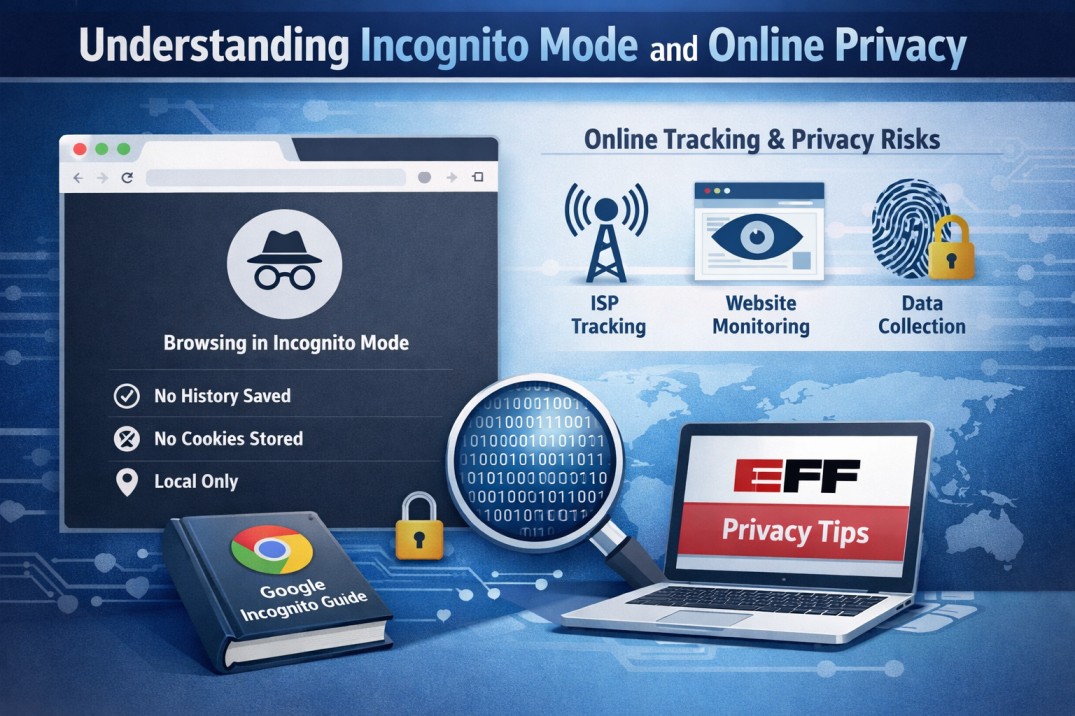
Understanding Incognito Mode and Online Privacy
To better understand how Incognito Mode works and its limitations, you can refer to the official
Google Chrome Incognito Mode guide, which explains what data is and isn’t saved during private browsing.
Additionally, for a deeper look into online privacy and how browsing data is handled, the
Electronic Frontier Foundation (EFF) privacy resources provide valuable insights into digital tracking, user safety, and internet privacy practices.
Conclusion: How to Block Incognito Mode in Chrome Effectively
Understanding how to block incognito mode in chrome is essential for improving safety, productivity, and digital control.
If you are also working on improving focus and reducing harmful habits, you may find these guides helpful:
- how to rewire your brain from porn addiction
- benefits of quitting porn
- how to block porn websites for students
For complete protection, combining system-level settings with dedicated tools ensures that incognito mode cannot be easily bypassed.
Related Articles
- How to Block YouTube
- How to Block Instagram
- Reduce Screen Time
- Block a Website
- Best Website Blocker
- Adult Content Blocker
Get Started with BlockGuard
Free Chrome Extension: Install it here
Free Android App: Install it here
Official site: blockguardnet.com